Brand guide
How to adjust a Casio watch band
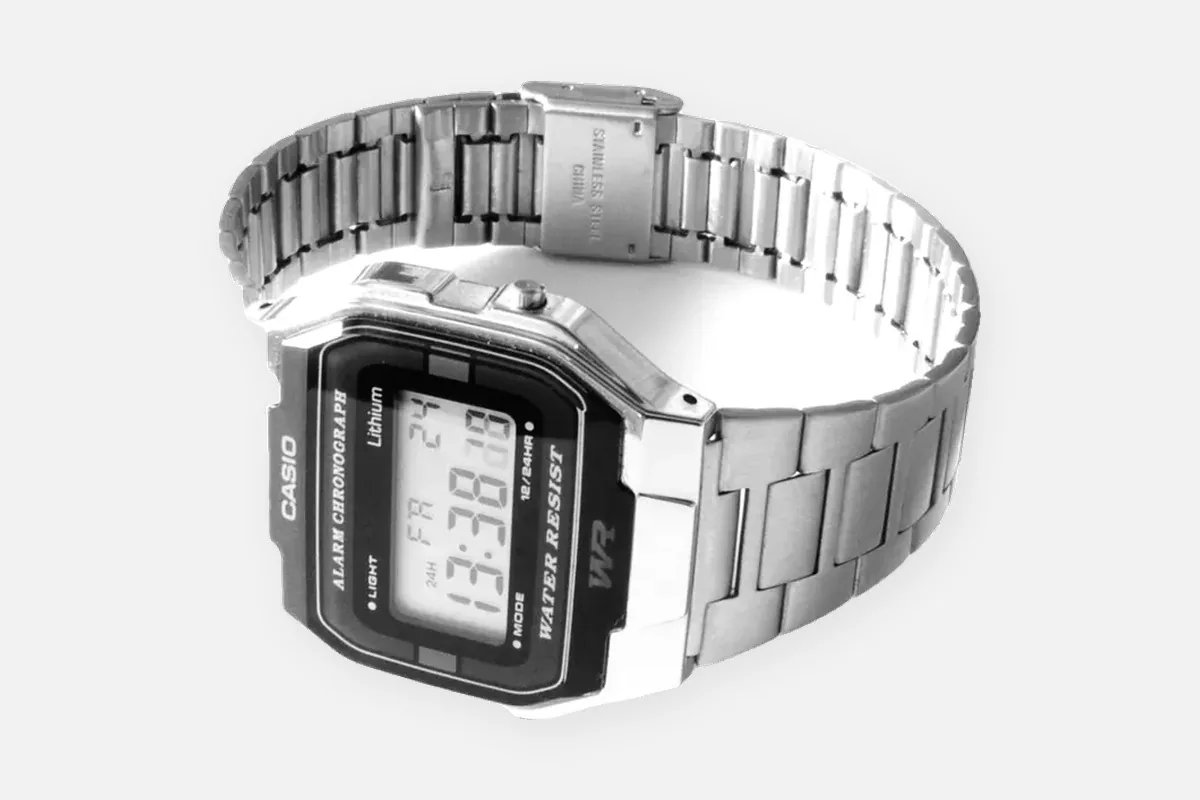
Most people searching for this are holding a Casio Vintage on a steel band, an A158, A168, A159, A700 or LA680. That band has no links to remove. It is sized at a sliding clasp in about thirty seconds, with a fingernail or a small flat blade. Buying a link removal kit for it is the most common wasted purchase on this whole site.
Casio makes three very different band systems under one name, so the first job is working out which one is on your wrist. The table below does that in ten seconds, then each system gets its own steps.
Which Casio band do you have?
| What you see | System | What to do |
|---|---|---|
| Thin folded steel band, a clasp with a flip-up plate, no screw heads or arrows (A158W, A168W, A159W, A700W, LA680W and similar) | Slide clasp | Slide the clasp, no links to remove. Steps below |
| Solid steel links with tiny stamped arrows on the inside (MTP, Enticer, Edifice) | Pins with arrows | Push pins out in the arrow direction. Steps below |
| Full metal G-Shock (GMW-B5000, GM-B2100) | Link bracelet, screwed to the case | Check links for arrows or slots. Leave the bracelet-to-case screws alone. |
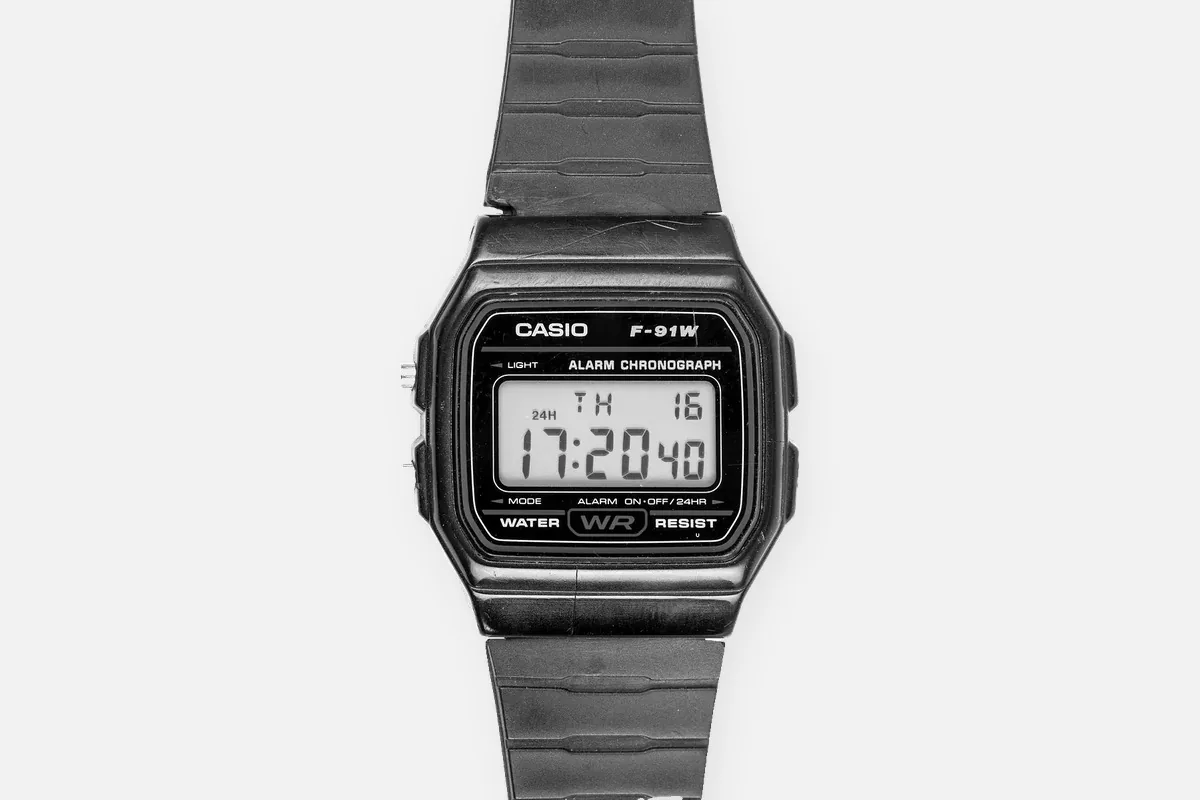
| Resin or rubber strap with holes (F-91W, most G-Shock, W-series) | Buckle strap | Use the buckle holes. Nothing to remove. |
Adjusting the Casio slide clasp
The Vintage line uses a folded steel band with a sliding clasp. The clasp has a small hinged locking plate on the inside. Underneath it, a hook sits in one of a series of grooves on the band. You lift the plate, move the clasp to another groove and close it again. The band itself never gets shorter.
- Open the clasp and lay the watch face down. Work on a soft cloth so the flat back of the band does not scratch.
- Find the locking plate. It is the small hinged plate on the inside of the clasp, usually with a notch or slot at its free end.
- Lift the plate. Put a fingernail, a thin flat screwdriver or a pin tool into the notch and flip the plate up. It takes a little force the first time.
- Slide the clasp. Move it along the band. Toward the watch head makes the band tighter, away from it makes it looser.
- Seat it in a groove. Wiggle it until the hook drops into a groove on the band, then press the plate down until it clicks flat.
- Test before you wear it. Close the clasp and pull on the band. If it moves, the hook is between grooves. Open it and reseat it.
Watch for thisA half-seated clasp is the only real failure here. If the hook sits between two grooves the clasp feels closed but slides open under load, usually the first time you pull the watch over your hand. Close it, then tug the band firmly before you trust it.
Two details that save a scratch: work on a soft cloth, and lever the plate from its free edge, the edge opposite the hinge. Levering against the hinge side bends the plate so it no longer snaps shut properly.
Removing links on MTP and Edifice bracelets
The analog steel Casio models, the MTP series, Enticer and most Edifice, use solid removable links held by pins. Flip the bracelet and look at the inside of the links next to the clasp. Removable links carry a small stamped arrow. The arrow shows the only direction the pin will come out. Casio uses more than one pin type across these lines, straight friction pins, folded split pins and pins with a small collar, but the rule is the same for all of them: push with the arrow to remove, push against it to refit.
- Put the watch on and pinch the slack to count how many links must go.
- Seat the bracelet in a holder, arrows pointing down toward the table, so the pin exits downward.
- Press the pin out with a pin pusher of the right diameter, usually around 0.8 to 1.0 mm on these bracelets.
- Remove links evenly from both sides of the clasp so the clasp stays centered under your wrist.
- Rejoin the bracelet and push the pin back in against the arrow until it sits flush. If it has a collar, fit the collar in the middle link first.
Some MTP clasps also have micro-adjust holes for the spring bar inside the clasp. If you are between two sizes, moving that spring bar one hole is often the better fix than taking out another link. Our full link removal guide covers pin types and the tools in detail.
Metal G-Shock: what is different
Full metal G-Shock models such as the GMW-B5000 and GM-B2100 have a link bracelet. Check the link sides before you start: arrows mean pins, slots mean screws. The joint between bracelet and case is different: it is held by screws, usually with thread locker, and needs two screwdrivers so one side can be counter-held. If you only want to shorten the bracelet, you never need to touch that joint. Also note that the GM-2100 and similar "metal covered" models only have a metal bezel. They sit on a resin strap and are sized with the buckle.
Resin straps and the F-91W
A resin Casio is sized with the buckle, like a belt. There is nothing to remove. If the strap is too short, too long or cracked, you replace the whole strap. On the F-91W and most classic resin models the strap is held by spring bars, see how to change a watch band. Some larger G-Shock models use screw-in bars instead of spring bars. If you see a slot on the end of the bar between the lugs, use a small screwdriver, not a spring bar tool.
The mistake to avoid
Buying a pin pusher for a band with no pins. If your Casio has a folded steel band and a flip-up clasp, the fix costs nothing. If it has arrows on the link undersides, a pusher is the right tool. If it has holes and a buckle, you need nothing at all. Identify first, buy second.
FAQ
How do I adjust a Casio metal watch band?
First check which band you have. A Casio Vintage (A158, A168, A159, A700) has a slide clasp: lift the plate inside the clasp, slide it along the band and press it closed. An MTP or Edifice bracelet has removable links with arrows, which you remove with a pin pusher.
How do I remove links from a Casio watch?
Only MTP, Enticer, Edifice and full metal G-Shock bracelets have removable links. Push the pin out in the direction of the arrow on the inside of the link, remove links evenly on both sides of the clasp, and refit the pin against the arrow.
Can I adjust a Casio watch band without tools?
Often yes. The slide clasp on the Vintage line can be opened with a fingernail, and resin straps adjust at the buckle. Only link bracelets need a pin pusher.
How do I tighten a Casio watch?
On a slide clasp, lift the plate and move the clasp toward the watch head by one or two grooves. On a link bracelet, remove one link or move the clasp spring bar to a tighter micro-adjust hole.
Why does my Casio clasp keep opening?
The hook is sitting between two grooves. Lift the plate, shift the clasp slightly until it drops into a groove, then press it down until it clicks.